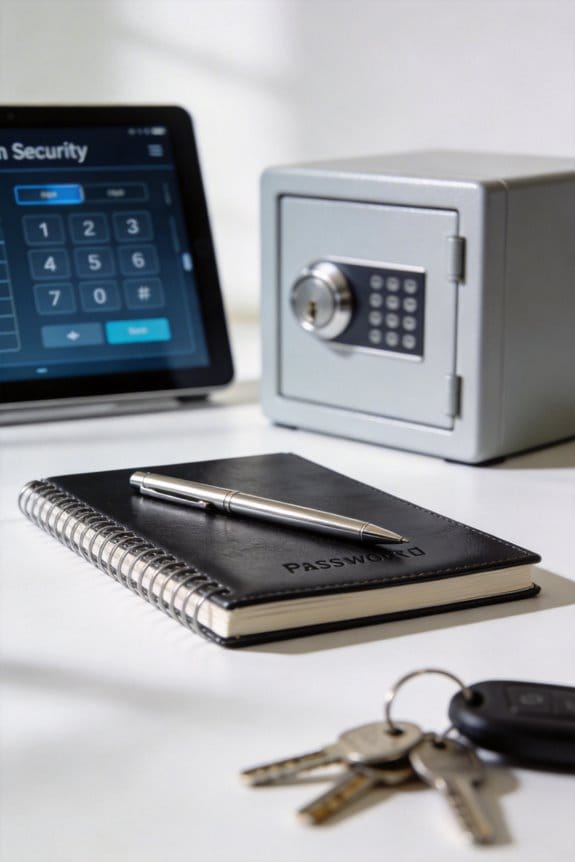

To create a family password system for emergency verification, we should begin by choosing a secure password manager that offers emergency access features. Next, setting up shared vaults for household accounts will help us stay organized. Involving everyone in password creation fosters teamwork and guarantees accountability. Regularly updating our passwords keeps them secure, and role-playing scenarios can build our confidence in using them. For more detailed steps on implementation, we can continue exploring best practices in security maintenance.
Key Takeaways
- Establish a memorable and unique password that all family members can recall easily during emergencies to verify trustworthiness.
- Regularly update the password and communicate the changes clearly to all family members to maintain security.
- Conduct role-playing scenarios to practice using the emergency password effectively and build confidence across the family.
- Utilize a reliable password manager to securely store the family password and ensure all members can access it seamlessly.
- Designate Emergency Contacts who can request access during critical situations, and maintain clear communication regarding access procedures.
Why You Need a Family Password System for Emergencies
You may be interested



Ever thought about how your kids would react in an emergency? If they’re faced with a stranger claiming to be a friend or someone they can trust, would they know how to differentiate? This is where a family password system comes in handy.
Setting up a family password can be a lifesaver. It not only helps kids understand the importance of verification and trust but also acts as a barrier against those who might try to manipulate the situation, like scammers. By talking with your kids about the password—it’s not just about creating it, but actually practicing how and when to use it—you can make sure they know what to do in a pinch.
Here’s the trick: Choose a password that’s memorable but difficult for others to guess. Your family password can be anything from a favorite movie line to a silly phrase. It’s like giving your family a secret handshake, only it’ll help to keep them safe when it counts.
Don’t forget to regularly check in with your kids about the password. This way, everyone stays sharp and knows that it’s more than just a word; it’s about safety.
So, why does this matter? Emergencies can strike when you least expect them. Having a clear line of communication that includes a simple password could mean the difference between safety and danger. Including such a system along with organized compartments for essential emergency supplies helps ensure your family can act quickly and confidently.
In the end, putting this system in place is a smart way to protect your family. What steps are you taking to ensure your loved ones know what to do when it really counts?
Choosing the Right Password Manager for Your Family

Have you ever worried about keeping your family’s online accounts safe? Creating a family password system is just the beginning of ensuring everyone’s safety in today’s digital world. When it comes to picking the right password manager, there are some key features to keep in mind.
For starters, look for emergency access. It’s important that trusted family members can retrieve your passwords in case of an emergency. Bitwarden and LastPass are two examples that have this feature, which can be a lifesaver.
You’ll also want something that syncs across multiple devices. That way, everyone in the family can easily access the accounts they need. And let’s not overlook security—end-to-end encryption and two-factor authentication are must-haves to keep your valuable information safe.
User-friendliness is just as critical. If the interface is confusing, family members will struggle to use it effectively, which defeats the purpose. You want something that everyone can navigate without a hassle.
Plus, think beyond just passwords. A good password manager should also store essential documents and account details, making it easier to manage your family’s digital life.
Integrating your password manager with multi-user access features can enhance security and convenience for the whole family.
Recommended Products

DEVICE SECURITY - Award-winning McAfee antivirus, real-time threat protection, protects your data, phones, laptops, and tablets


SPEED-OPTIMIZED, CROSS-PLATFORM PROTECTION: World-class antivirus security and cyber protection for Windows, Mac OS, iOS, and Android. Organize and keep your digital life safe from hackers.
Setting Up Secure Shared Vaults for Household Accounts
Have you ever found yourself scrambling for a household account password during a hectic moment? It’s a common problem. That’s why setting up secure shared vaults with a password manager can make life a whole lot easier. These shared vaults let each family member access important accounts without compromising security or losing track of vital information. When everything’s organized—usernames, passwords, and even notes on how to use each account—you can feel more prepared, especially during emergencies.
Here’s the trick: pick a reliable password manager, like Bitwarden or LastPass. These tools are designed to help you manage shared vaults without the hassle. And don’t forget to keep these vaults updated regularly. It’s so easy to neglect them, but having access issues during a stressful time is the last thing you want.
You might think everyone in the house knows how to use these tools, but that’s not always the case. Take a moment to train your family on those secure password features. A little guidance can boost their confidence and make them more capable when they really need access.
So, why does this matter? An organized approach not only helps everyone collaborate better but also ensures you maintain security across all your shared accounts. It’s all about managing responsibilities and keeping things running smoothly in the household.
In short, secure shared vaults can make a big difference in your family’s digital life. Have you taken the time to set one up yet? Also, just as emergency kits require organized compartments for efficiency, maintaining well-structured shared vaults enhances quick access and preparedness during critical moments.
Recommended Products
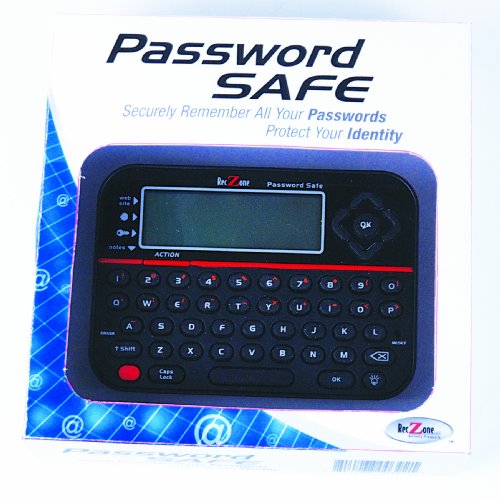
Requires 3 "AAA" batteries (included)
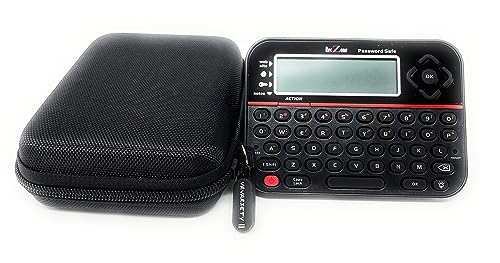
Securely Remember All Your Passwords, Log-in's, User Names, ATM PIN Numbers and More

Implementing Emergency Access in Your Family Password System
Have you ever thought about what would happen if an emergency struck and you couldn’t access your important accounts? It’s a scary thought, but setting up a family password system can really help in those tough situations. Here’s how to make sure everyone in your family has emergency access when they need it most.
First off, consider using a password manager like KeePass. It’s a solid choice because it has features specifically designed for emergency access. You can designate certain people as Emergency Contacts who can request entry after a waiting period. This way, you have a safeguard that still respects your privacy but provides access in a real pinch.
Next, let’s talk about communication. It’s essential to ensure that everyone in your family understands the protocols. Who’s the go-to person for access? What’s the process? Make sure everyone knows the drill. Honestly, clear communication can save a lot of headache later on.
Don’t forget to review your emergency access plan regularly! Life changes—new family members, kids moving out, or even just shifts in responsibilities—can affect who should have access. To keep everything relevant and secure, do a quick check-up on your arrangements every few months.
Frankly, having these measures in place can make a world of difference. You don’t want to be stuck without access when time is of the essence. Also, consider the benefits of integrating your password system with other emergency preparedness tools to ensure seamless readiness. So, what’s your plan? It’s worth taking the time to think through these steps now, rather than waiting for an emergency to figure it all out.
Recommended Products

Individual A-Z Tabs for Quick Access

Individual A-Z Tabs for Quick Access: No need for annoying searches! With individual alphabetical tabs, this password keeper book makes it easier to find your passwords in no time. It also features an extra tab for your most used websites. All the tabs are laminated to resist tears.

Individual A-Z Tabs for Quick Access: No need for annoying searches! With individual alphabetical tabs, this password keeper book makes it easier to find your passwords in no time. It also features an extra tab for your most used websites. All the tabs are laminated to resist tears.
Include These Essential Items in Your Family Password System
Have you ever thought about how many passwords your family juggles? It’s a bit overwhelming, isn’t it? Setting up a family password system can feel like a daunting task, but trust me, it’s worth it for your peace of mind and safety.
First off, let’s talk about the password itself. Try this: create a password or phrase that’s really hard to guess. Avoid using names or significant dates because those are like open books to potential snoopers. The stronger the password, the better protected your family will be from threats.
Now, here’s the trick: you need clear guidelines on when and how to use that password during emergencies. It’s not just about having it; you also want to ensure everyone knows what to do when the chips are down. You might consider role-playing scenarios with your kids. Honestly, it’s a great way to boost their confidence and make sure they really understand.
Another important part? Regularly updating your family password. Set a reminder every few months to do this. Involving everyone in that process not only keeps things secure, but it also makes each person feel like they’re a vital part of the family security plan.
Don’t forget to store a hard copy of your password in a family emergency binder. Think about it: having quick access to your password when you need it most can really save the day. But, be smart about it—keep that binder hidden from anyone who shouldn’t have access.
Consider integrating your family password system within a broader home security system to enhance overall safety and provide fast emergency response.
Recommended Products

Keep important documents safe: A document organizer designed to protect papers from getting lost. Store birth certificates, social security cards, wills, tax forms, insurance policies, titles & more in one secure place.


High-Quality Materials: Protect your files with ENGPOW fireproof accordion file organizer.It is made of 3-layered non-itchy silicone-coated fiberglass which withstand the temperature up to 2200℉.It has passed the UL94 -V0/5VA flame retardant test.Fireproof File Folder is fireproof&Water-resistant,which can effectively protect your important documents in a fire,flood,and wet weather. They will further keep your files intact.Giving you time to save your important documents when disaster strikes
How to Talk to Your Family About the Password System?
Have you ever thought about how much of our personal information is out there? It can be pretty overwhelming, right? Setting up a family password system might feel daunting, but it’s really important for keeping our loved ones safe. Let’s talk about how to approach this without feeling stressed out.
First off, it’s crucial to get everyone involved when picking a master password. You want something that sticks in your memory but isn’t easy for outsiders to guess. Make it a fun family activity—maybe even turn it into a little brainstorming session.
And here’s a handy tip: try role-playing different scenarios where you might need to use the password. This can help everyone get comfortable with it. It could be something as simple as pretending someone is asking for it over the phone. Practice makes perfect!
Another important point is to choose a secure spot to keep the password and any related email addresses. You don’t want it lying around where anyone could find it. After all, what’s the point of having a password system if it’s not kept secure?
Don’t forget to schedule regular check-ins. Periodically suggesting new passwords can keep everyone engaged and on their toes. It helps ensure that no one’s forgotten the password, and it adds another layer of security.
To further enhance safety, consider incorporating AI-powered alerts for intrusion detection to reduce false alarms when sensitive information is accessed.
Updating and Securing Your Family Password System
As we all know, keeping our families safe online can feel overwhelming sometimes, right? One big piece of that puzzle is having a solid password system. You should aim to update your family password every three to six months. The key is to create a complex yet memorable phrase—something that’s unique to you and your family but tough for others to guess. Steer clear of using personal names or birthdays since those can be easy targets.
You might find it helpful to involve everyone in your family when choosing the password. Not only does this make it a group effort, but it also adds that layer of importance. Make sure to document the password securely, perhaps on a hard drive, and keep it somewhere discreet. If anyone forgets the password in a pinch, have a clear protocol in place, such as predefined questions that everyone knows the answers to.
Honestly, practicing recalling the password together is a great way to keep it fresh in everyone’s mind. It’s like a little family exercise that can help avoid any stress later on, wouldn’t you agree? Additionally, integrating your password system with two-way audio functionality on security cameras can enhance emergency verification and communication within the family.
Recommended Products

Never Forget a Password Again: Tired of forgetting your passwords? Say goodbye to the frustration of constantly juggling and resetting passwords. Our Password Book with Colorful Alphabetical Tabs helps you easily store and keep all your passwords in one secure place, saving you from the hassle of managing multiple passwords, with no visible labels or titles, protecting your sensitive information.


NEVER FORGET A PASSWORD AGAIN - Clever Fox password journal will help you create secure passwords and keep them safe and organized. This password book allows you to store all your passwords and other computer information in one place to find it easily.
Frequently Asked Questions
How to Create a Family Emergency Binder?
Did you know 60% of families lack proper preparation for emergencies? Let’s create a family emergency binder, including emergency contacts, important documents, health information, financial records, legal papers, a communication list, and family photos—essential for any crisis.
What Is the Best Password Manager for Families?
For our family, the best password manager is Bitwarden. It offers shared vaults, user access settings, and encrypted storage, ensuring digital security across devices. Plus, it simplifies password sharing and recovery for everyone.
How to Come up With a Family Password?
Together, we can craft a password like a family crest—memorable phrases, unique combinations, and age-appropriate choices. Using family security tips and best practices, we’ll guarantee regular updates keep our foundation strong.
What Is the 8 4 Rule for Passwords?
The 8-4 rule enhances password strength by requiring at least 8 characters, including 4 diverse types. It’s essential for family security, promoting password complexity for secure storage and ensuring digital safety during emergencies through regular updates.